.png)
Installing and connecting the application
Installing the Pretnumerique e-reading application
First, install the Pretnumerique e-reading application.
Go to the Pretnumerique application page on Google Play:
https://play.google.com/store/apps/details?id=com.bibliopresto.pretnumerique&hl=frTap Install.
Once the installation is complete, tap Open to start the application.
Connecting to a library
To borrow ebooks, you will first need to add your library to the application.
Go to the Catalogues section.
Tap the + button.
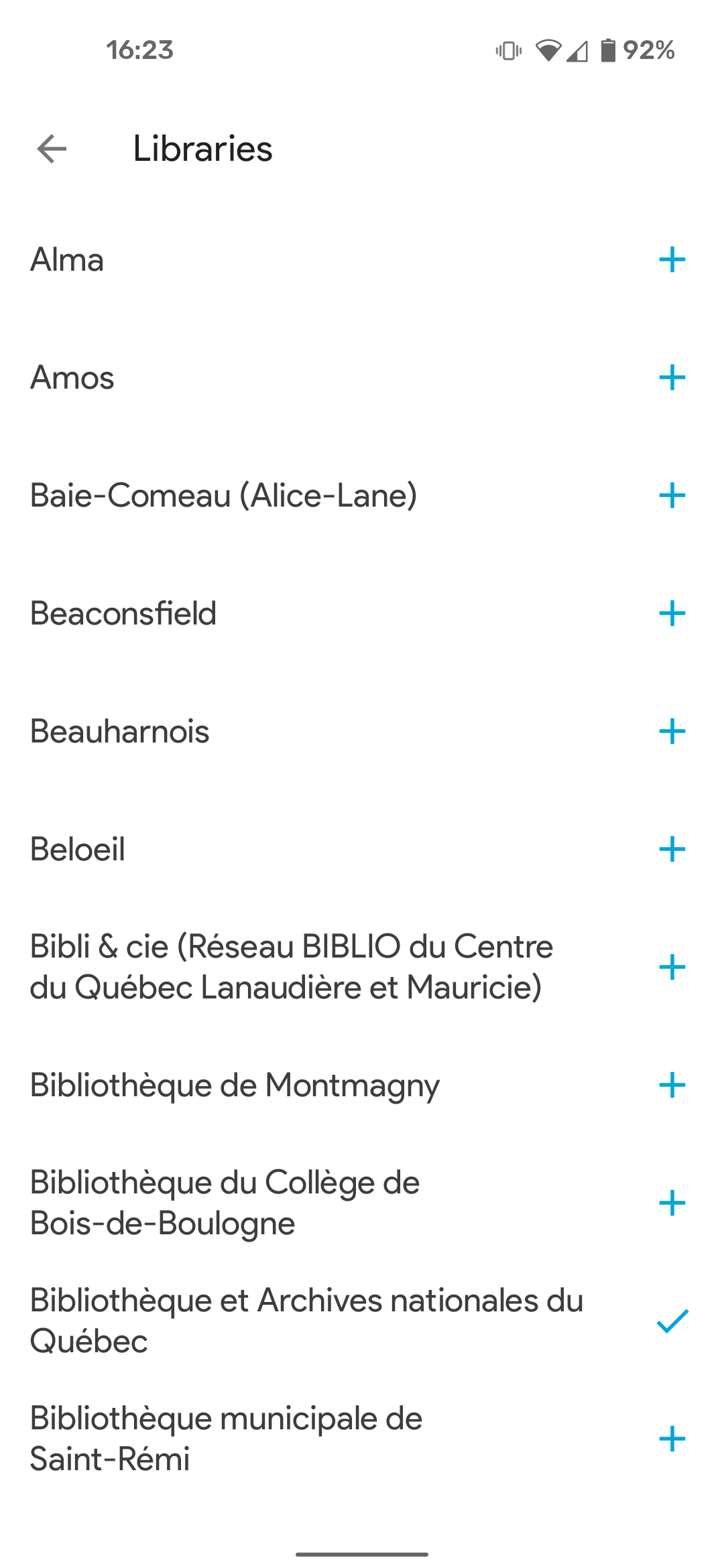
Find your library by browsing the list.
Tap the + icon to the right of your library's name to add it to your catalogue.
Press Browse in the rectangle that contains your library's name in the Catalogues section.
Authenticate yourself with your library account ID and password.

Please note that authentication systems vary from library to library. Depending on the system used by your library, you may not be required to authenticate when you add a catalogue. This will only need to be done later when making a loan or placing a hold. If you encounter a problem during the authentication process (for example, if you have forgotten your password), please contact your library.

Even if you add several libraries in the application, you will only be able to borrow from the libraries of which you are a registered member. If you do not find your municipality's library from the list available in the Pretnumerique application, there is a chance it is a member of a BIBLIO network. BIBLIO networks are regional organizations that serve and support municipalities with less than 5,000 inhabitants. To check if your library is a member of a BIBLIO Network, please consult the following page: http://Pretnumerique.ca/find_library .